
 +302310666599
  +306932541992


 DE
DE  BG
BG  IT
IT  GR
GR 


Initial Setup – Wi-Fi Connection
Before using the scoreboard control interface, the device must be connected to the local Wi-Fi network.
Follow the procedure described below.
Step 1 – Power on the Scoreboard
Power on the scoreboard system.
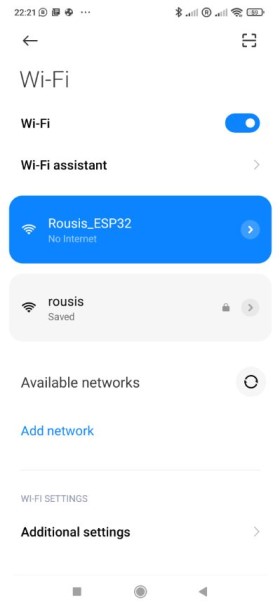
During the first startup the device automatically creates a temporary Wi-Fi Access Point.
Step 2 – Connect to the Device Wi-Fi
Using a smartphone, tablet or computer:
- Open the Wi-Fi settings of your device.
- Search for the wireless network created by the scoreboard.
Example network name:
ROUSIS-SCOREBOARD
- Connect to this network. (better close your mobile GSM data, because many smart phones change automaticaly from WiFi to GMS data when there is no internet connection)
Step 3 – Open the Setup Page
After connecting to the device network:
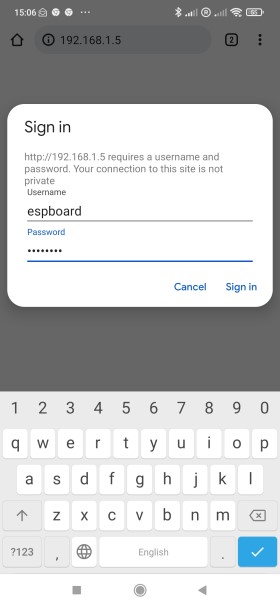
- Open a web browser.
- Enter the following address:
192.168.4.1
The configuration page will appear.
Step 4 – Configure the Local Wi-Fi Network
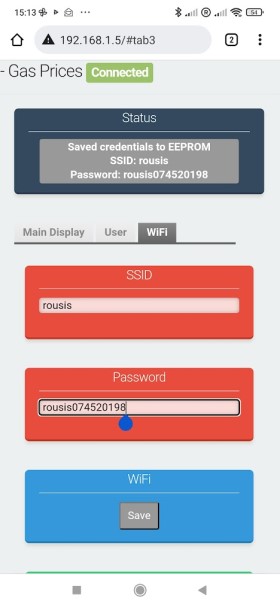
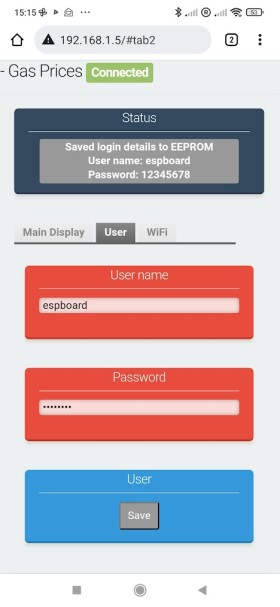
On the configuration page:
- Enter the default username and password:
username: espboard
password: 12345678 - Enter your local Wi-Fi router SSID.
- Enter the Wi-Fi password.
- Press Save and check the status label to be sure that you enter the credentials correctly
- Then press Reset.
The device will restart and connect to the selected network.
Step 5 – Connect to the Scoreboard Interface
After the device connects to the router:
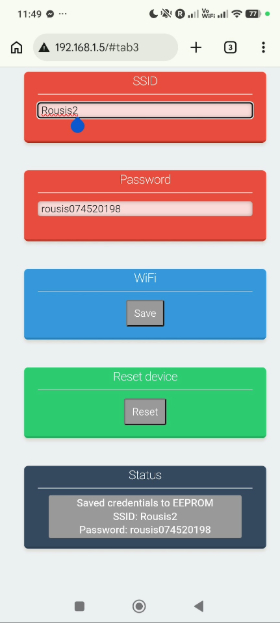
- Reconnect your smartphone/tablet/computer to the same Wi-Fi network.
- Open a browser.
- Enter the device IP address assigned by the router.
Example:
192.168.1.5
The Scoreboard Web Control Interface will appear.
Web Control Console – User Manual
1. Introduction
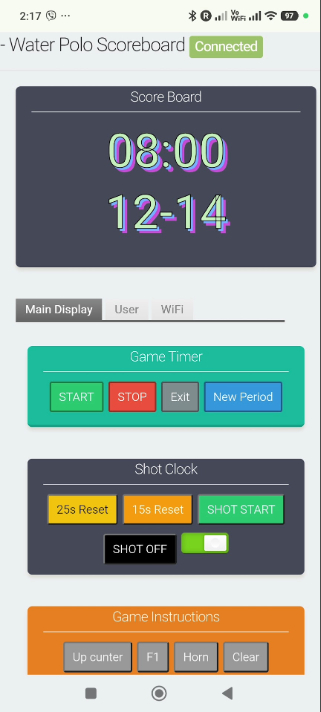
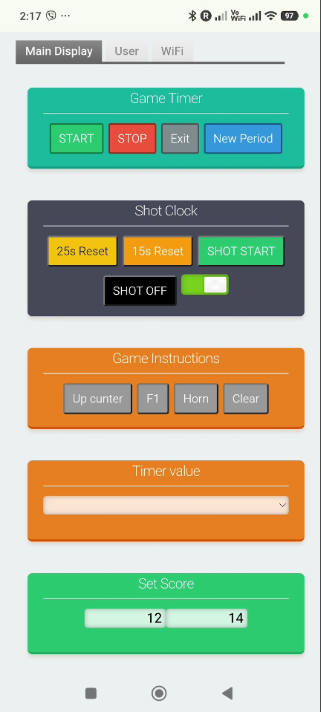
This document describes how to operate the Water Polo Scoreboard Web Controller.
The system allows the operator to control the scoreboard using a wireless web interface accessible from a smartphone, tablet or computer connected to the same WiFi network as the scoreboard.
Using the web console, the operator can control:
- Game timer
- Shot clock
- Score
- Horn
- Period changes
- Timer adjustments during the match
The interface is designed for fast and simple operation during official water polo matches.
3. Main Control Interface
The control screen contains the following sections:
- Game Timer
- Shot Clock
- Game Instructions
- Timer Value
- Set Score
Each section controls a different function of the scoreboard.
4. Game Timer
This section controls the main game clock.
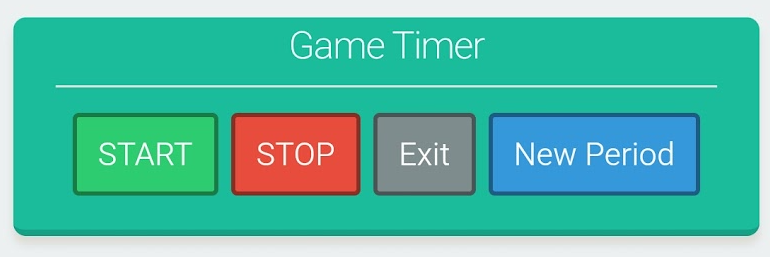
| Button | Function |
|---|---|
| START | Starts the game timer |
| STOP | Stops the game timer |
| Exit | Stops the timer and exits the match mode. The scoreboard returns to normal clock display showing the current time. |
| New Period | Resets the timer to the beginning of a new period |
5. Shot Clock
This section controls the attack time used in water polo.
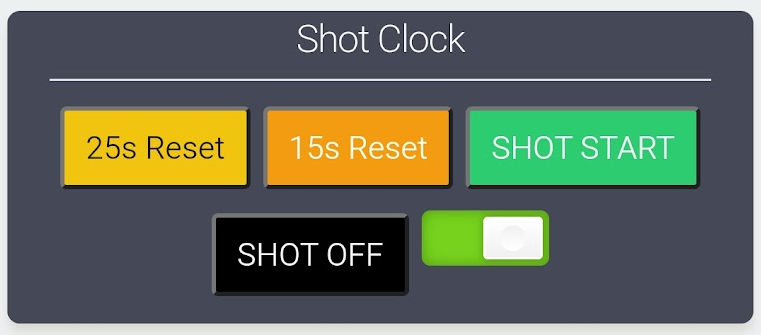
According to the current regulations used in Greece:
- 28 seconds standard attack time
- 18 seconds reset time
| Button | Function |
|---|---|
| 25s Reset | Resets the shot clock to 28 seconds |
| 15s Reset | Resets the shot clock to 18 seconds |
| SHOT START | Starts the shot clock countdown |
| SHOT OFF | Disables the shot clock display |
Shot Clock Synchronization Switch
Inside the Shot Clock section there is a switch button that synchronizes the shot clock with the main game timer.
When the switch is enabled:
- Starting the Game Timer automatically starts the Shot Clock.
- Stopping the Game Timer also stops the Shot Clock.
When the switch is disabled:
- The shot clock is controlled manually using the Shot Start button.
6. Game Instructions
Additional control commands are located in this section.
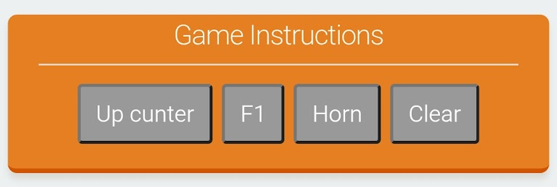
| Button | Function |
|---|---|
| Horn | Activates the scoreboard horn for a short signal |
| Clear | Clears the scoreboard values |
| Up Counter | Reserved for future use |
| F1 | Reserved for future use |
7. Timer Value
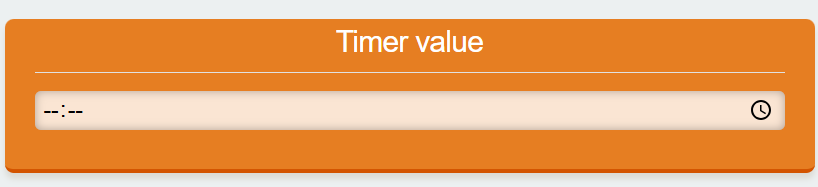
This control allows the operator to change the timer value instantly, even during the match.
This feature can be used when the referee requests a correction of the game time.
The new time value is applied immediately to the game timer.
8. Countdown Time
The Countdown Time setting allows the operator to change the period duration when required.
This may be used when different competition formats require different period lengths.
9. Set Score
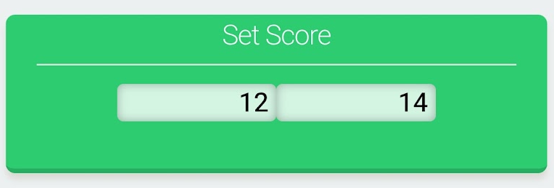
The Set Score section allows the operator to update the score of the two teams:
- Home team
- Guest team
The score can be adjusted directly from the control interface.
10. Shoot Clock Set
The Shoot Clock Set control allows the operator to change the shot clock duration.
This feature is useful when the scoreboard is used for other sports with different shot clock rules.
11. End of Match
At the end of the game:
- Press STOP to stop the timer.
- Press Exit.
The scoreboard will exit the match mode and return to normal clock display, showing the current time.
12. Display Information (Idle Mode)
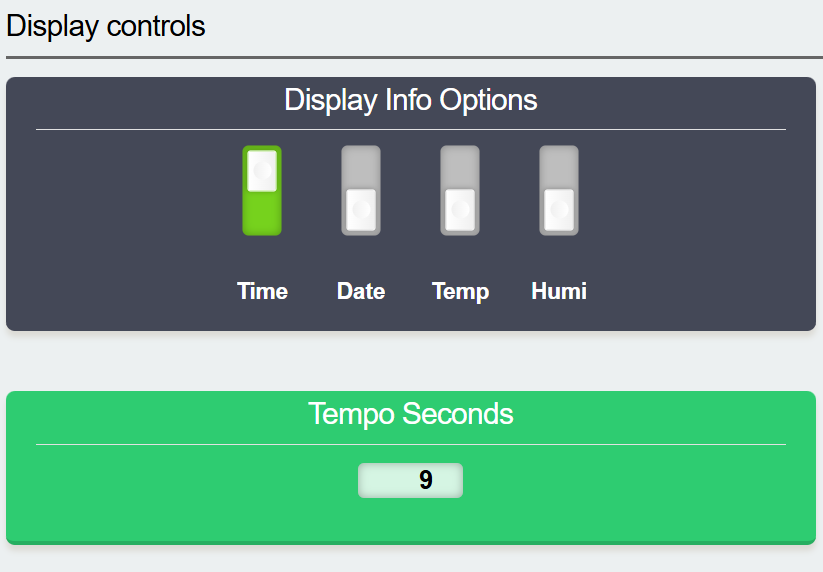
When the scoreboard is not used for a match and no game timing is active, the display automatically switches to information mode. In this mode the scoreboard can show useful information such as the current time, date, ambient temperature, and humidity. These information fields can be enabled or disabled from the Display Info Options section of the web interface by using the corresponding switches (Time, Date, Temp, Humi). The parameter Tempo Seconds defines the interval at which the selected information is rotated on the display. For example, if the value is set to 9 seconds, each enabled information screen will be displayed for 9 seconds before the scoreboard automatically switches to the next one.
Water Polo Scoreboard - User's manual

In addition to the web interface, the scoreboard can also be operated using the wireless remote controller (ultrasonic remote). This provides a fast and practical way to control the system during a match.
The available functions are described below:
Game Control
- PLAY (Green button)
Starts the game timer. - STOP (Red button)
Stops the game timer. - EXIT
Ends the game and switches the scoreboard to clock display mode. - COUNTDOWN 1
Starts a new period.
Score Control
- HOME ▲ / ▼
Increases or decreases the score of the home team. - GUEST ▲ / ▼
Increases or decreases the score of the guest team.
Shot Clock Control
- P1
Resets the shot clock to 28 seconds. - P2
Resets the shot clock to 18 seconds. - P3
Starts the shot clock. - CLR (Clear)
Stops and clears the shot clock.
Synchronization Function
- EVENTS
Enables or disables synchronization between the shot clock and the main game timer.- The shot clock follows the START/STOP of the game timer.
- The shot clock operates independently.
- When enabled:
Additional Functions
- Horn (Speaker button)
Activates the horn sound.
13. Notes
- The interface is optimized for fast operation during live matches.
- All commands are applied instantly to the scoreboard.
- The system operates wirelessly through the local WiFi network.