
 +302310666599
  +306932541992


 DE
DE  BG
BG  IT
IT  GR
GR 


|
Join our Newsletter
|


PowerLED Control Software – Download & Setup Guide
PowerLED Control Software – Download & Setup Guide
PowerLED Control Software – Download & Setup Guide
led displays powerled download
File Size:
35.37 MB
Version:
2.89.4
Date:
07 March 2019
Downloads:
5690 x
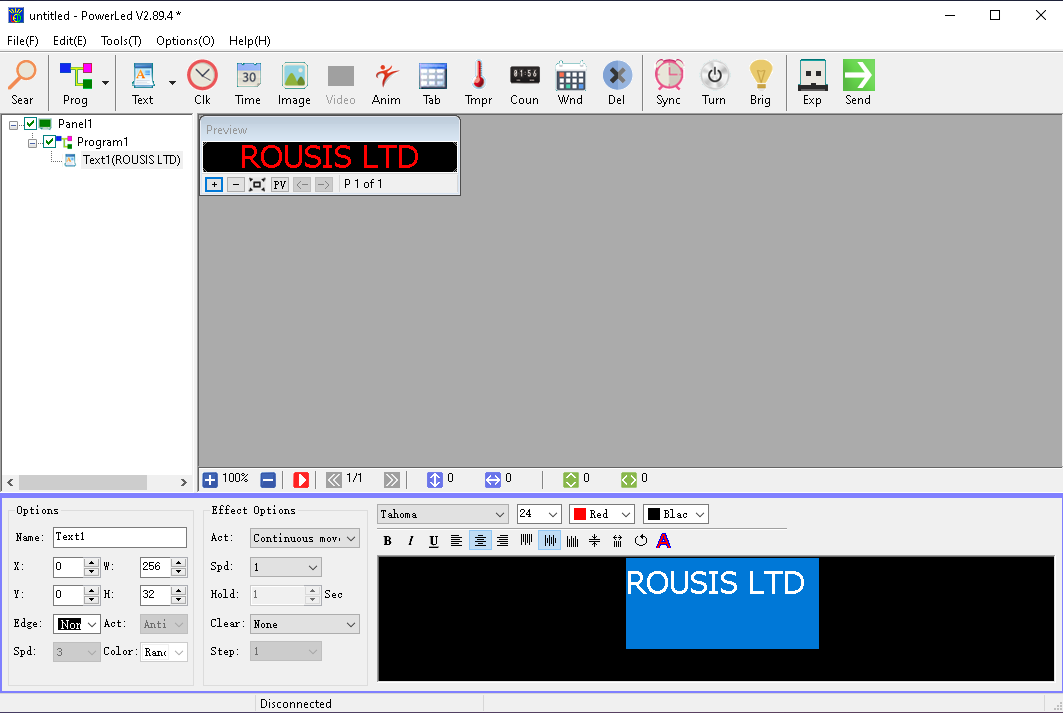
PowerLED is the dedicated management and configuration software for LED displays powered by LongSun / LongWei (TF Series) control cards. It allows users to create multi-zone layouts, display text, real-time clock, temperature, graphics, and custom animations, with seamless data transfer via USB, Wi-Fi, Ethernet, or RS485.
Features
- Multi-Area Display Support: Divide the LED screen into multiple independent zones for text, time, calendar, and temperature readings.
- Rich Animations & Fonts: Support for all installed Windows fonts, dynamic entry/exit effects, borders, and continuous scrolling text.
- Flexible Connectivity: Upload programs effortlessly via USB flash drive, Wi-Fi, LAN (Ethernet), RF, or GPRS communication modules.
- Scheduling & Brightness Control: Set automatic power-on/off timers and scheduled brightness adjustments based on time of day.
| Version | Release Date | File Size | Download Link |
|---|---|---|---|
| PowerLED v2.89.4 (Latest) | March 7, 2019 | 35.37 MB | Download PowerLED v2.89.4 |
| PowerLED v2.77.1 (Legacy) | Archive | - | Download PowerLED v2.77.1 |
| PowerLED LTS v2.3.9 | Archive | - | Download PowerLED LTS |
| PowerLED User Manual (PDF) | Documentation | - | Download User Manual |
Supported LED Display Controllers (Hardware Compatibility)
- Single & Dual Color Series:
- TF-S6U, TF-S6UW, TF-A6U, TF-A6UW, TF-M6W, TF-M6UR, TF-C6UR, TF-D6UR, TF-E6UR, TF-F6UR, TF-LU20/21, and more.
- Wireless & Network Modules:
- TF-WiFi-M, TF-WiFi-C, TF-GPRS-B3, TF-RF70-C
Technical Quick Tips for Rousis Systems Users
- USB Export: Make sure your USB flash drive is formatted to FAT32 before saving the exported files from PowerLED.
- Wi-Fi Connection: Connect your PC or mobile device to the TF controller's Wi-Fi network (default password provided in the user manual) before sending data.
License Agreement
This software is the property of its manufacturer, as it has not been implemented by Rousis Systems.
For the terms of use of the program, please refer to the publisher's license.
Powered by Phoca Download